
.png)
Enigma Machine 2


here I will assume you have read the 1st post about the Enigma Machine, if you haven't, here is the link :
Comparisons
Before understanding how to actually use XKEM (XKey Enigma Machine), it is better to understand what are the differences compared to an Enigma Machine
fixing the Main Flaw
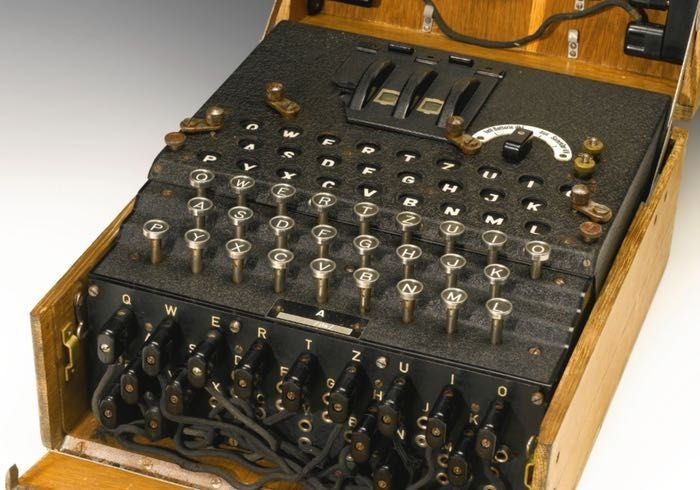
On a traditional Enigma Machine, the reflector is what sends the signal back to the rotors, but because of this, a letter can never become itself.
Therefore in 64KEM (64Key Enigma Machine) and XKEM, there are no reflectors, instead, the rotors and the plugboard acts like a gigantic one-to-one mapping function, taking the Keyboard letters as the domain and the Lampboard letters as the range, the signal flows from one side to the other.
Keep in Mind 💡
the "Rotor-Plugboard Function" also takes one parameter into account : the index of the current letter being encrypted or decrypted. Since for every letter, the rotor MAY rotate, thus changing the mapping
Machine Settings
On a Traditional Enigma Machine
On XKEM
There are multiple Rotor Types to choose from, each Type provides a different wire crossing
Users can self define the wiring of every rotor, however, there are also some presets provided
Rotors are arranged in a line, the right further most rotor will rotate for every keypress (a.k.a. the fast Rotor), the rest of the rotor will be kicked one place when the rotor on it's right does a full rotation.
Rotors are also arrange in a line as well, but the Fast Rotor is not always the right furthermost, and may not rotate for every keypress.
Each rotor has 2 parameters called "Kick Size" and "Kick State".
During encryption / decryption, a vector is used to increase the kickState of every rotor, this vector is a.k.a. the "kickBehavior vector".
in other words :
currentKickState = prevKickState + kickBehaviorwhen a rotor's kickState is larger than it's kickSize, the kickState will decrease by it's kickSize and the rotor will rotate by one place.
This means that when a rotor does a full rotation, it doesn't kick another rotor. However, to mimic the traditional effect, you can let the rotors from right to left have the following kickSize :
kickSize[RotorArrangementPositionCountingFromTheRight] = AlphabetSize ^ RotorArrangementPositionCountingFromTheRight26 Letters
Users can define there own sets of alphabet with any size, 64 is the default, but 27, 52, 101, etc are also valid choices. You only need to make sure that the Keyboard and Lampboard and the rotors has the same amount of wires.
one Plugboard, 10 pairs
technically speaking a Plugboard is a Rotor that does not rotates. This can be done by setting the correct KickBehavior Vector.
This means that the user can have as many Plugboards as they want, and they can arrange the plugboard with the rotors however they want.
Keep in mind, putting 2 or more plugboards by adjacent is redundant because a chain of permutations can be represented by a single permutation due to how group theory and concatination works
Now the Real thing
XKEM is implemented in KOwO.web, another tool from us, which acts like a console but in your browser, no installs, no registrations, no ads, none of those annoying stuffs.
To start using XKEM, type in the command "/app xkem" and you can start with the XKEM command "/help" to see the list of commands that you can use.
Comments